SwipePay-wp-plugin
Welcome to the SwipePay wordpress plugin repository on GitHub. Here you can browse the source, look at open issues and keep track of development.
Installation
To integrate SwipePay into your application, download the WordPress file using the download button.
1. Click on code and download repo (zip).
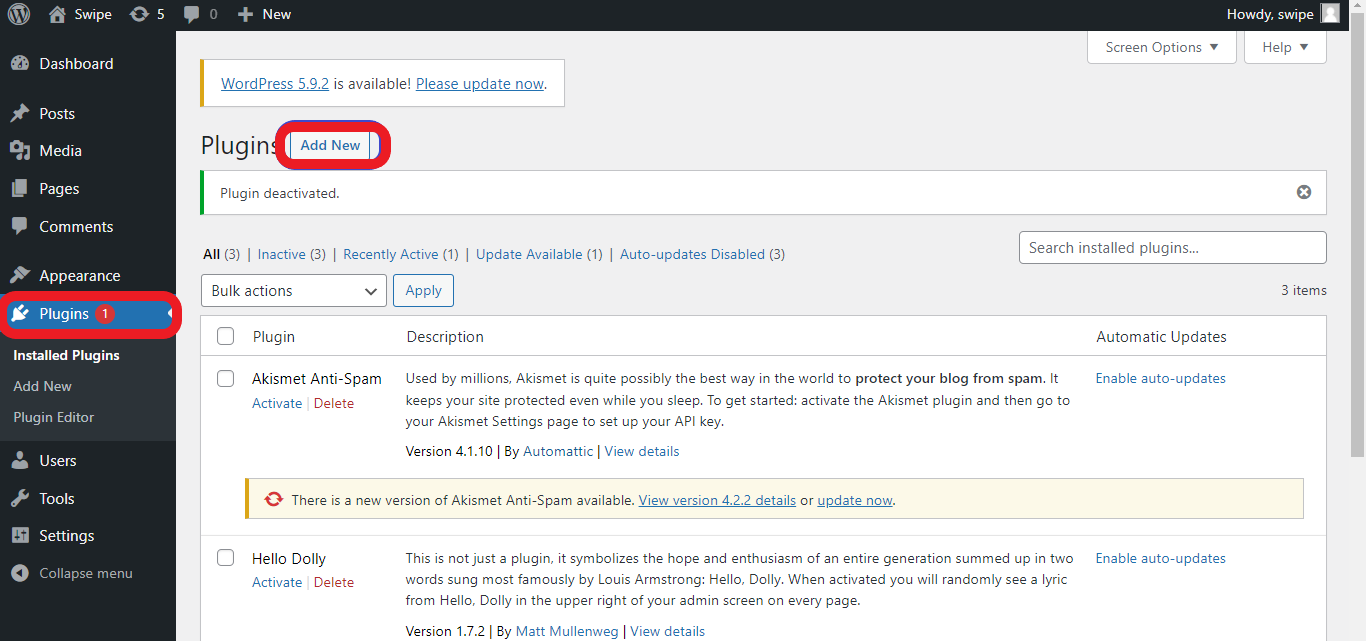
2. Go to Plugins > Add New
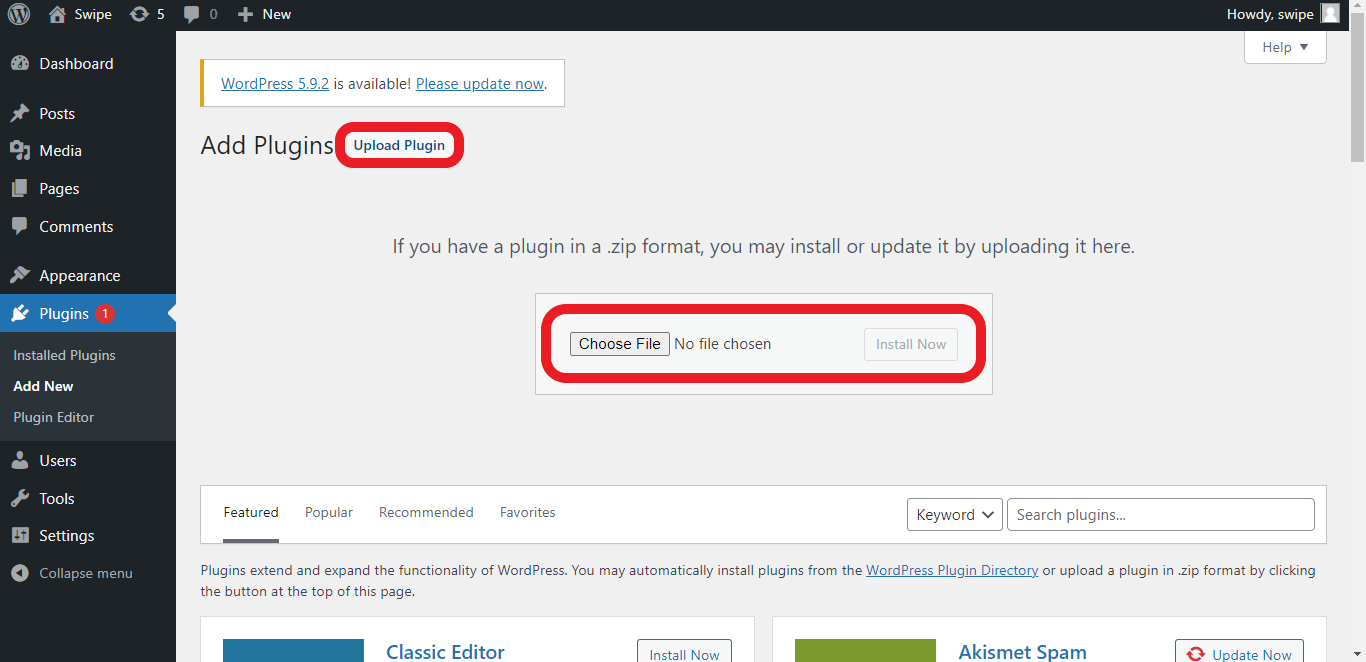
3. Click on the Upload Button at the top of the page, select the zipped repo and click Install Now
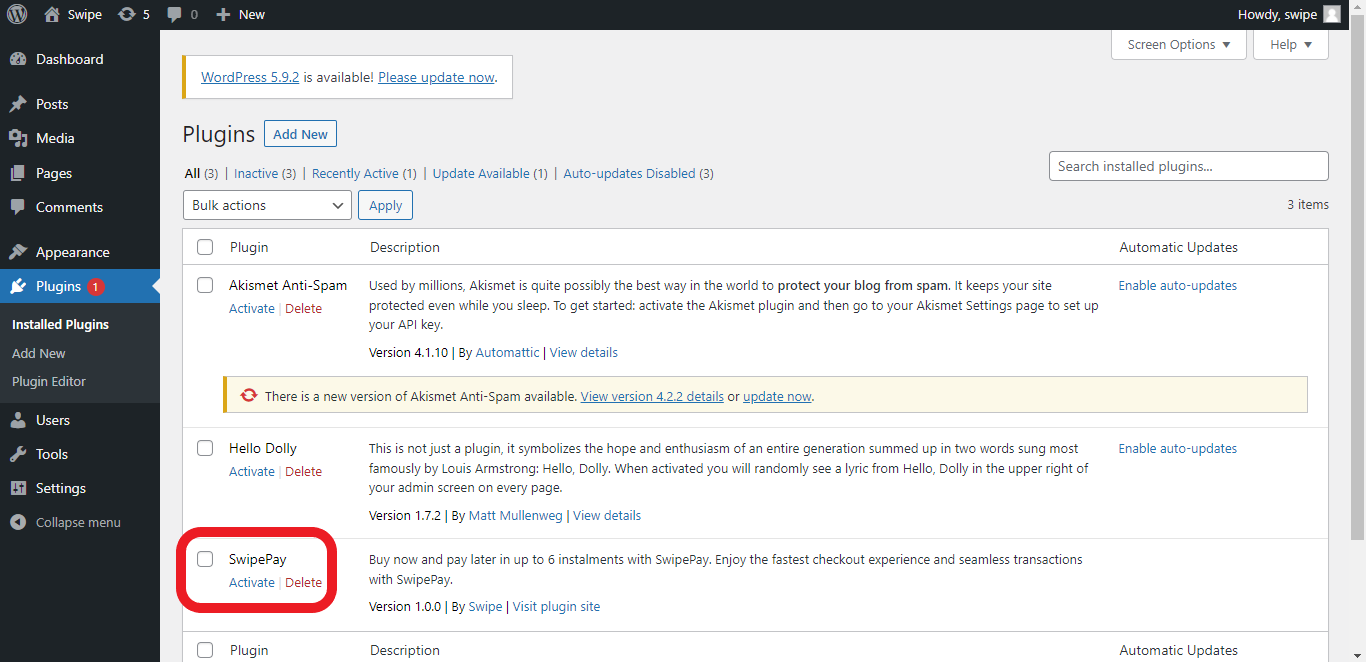
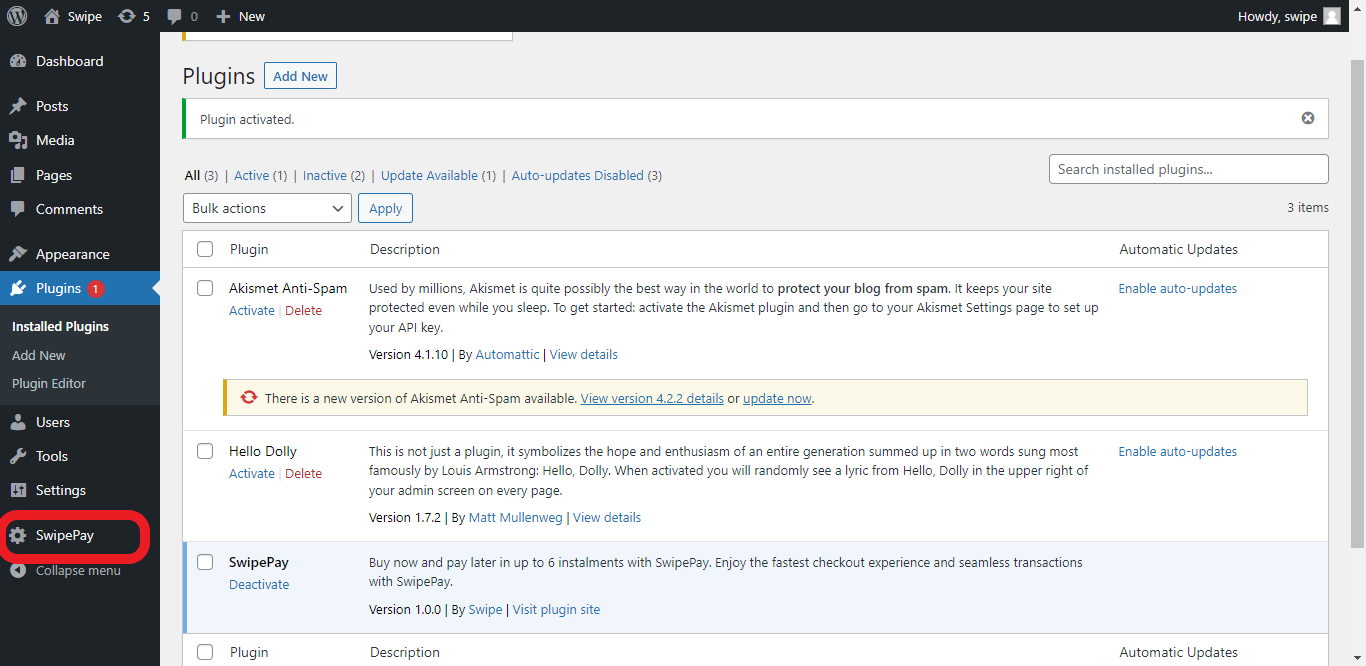
4. Go to the list of plugins and activate the swipe plugin.
5. The menu Swipe Pay would appear on the side menu
Usage
When the menu SwipePay appears on the side menu, click on the menu (Swipe Pay) and input your merchant id with the token
-
Fill in the infomation.
| Title | Description |
|---|---|
Merchant Id |
The Id assigned to you on sign up as a merchant. |
Merchant Token |
Page you want to use the widget on |
-
Click
Save changes.
-
Finally, proceed to
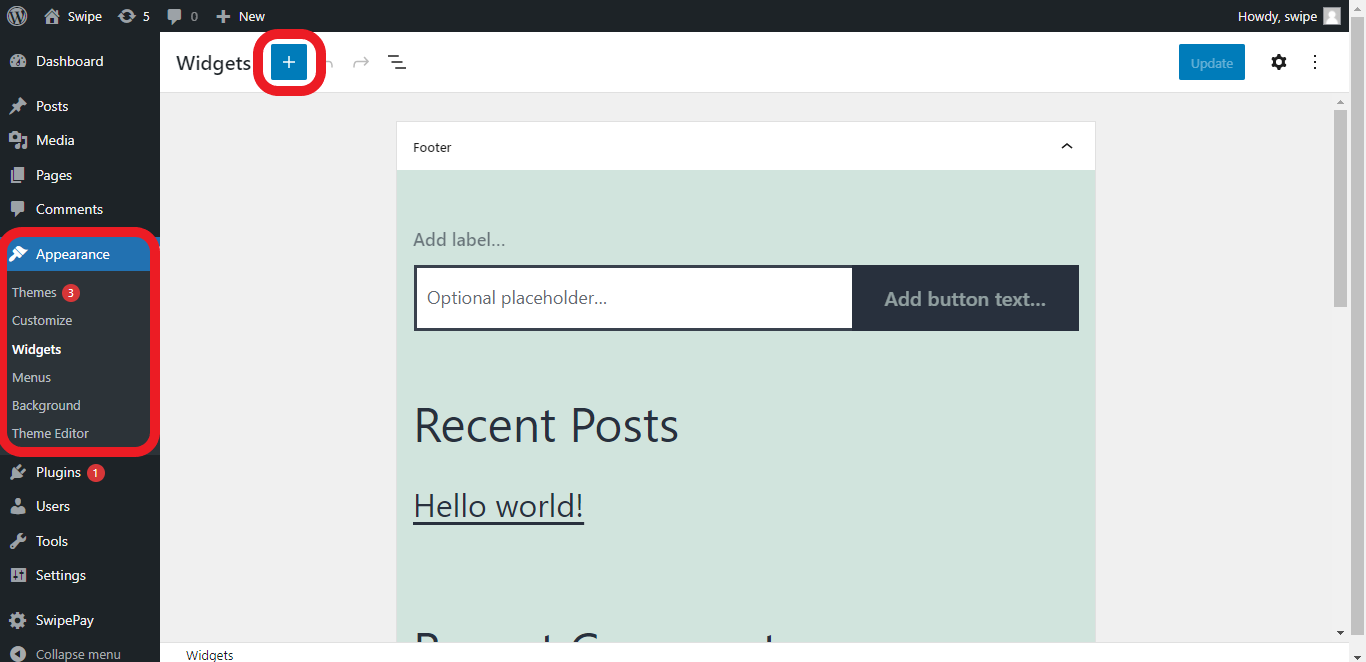
Widgetunder theapperanceside menu and click on the blue+icon to select theswipe pay a merchantwidget, then update and view the site .